This doc will explain the process of generating a Zapier Key.
Step 1: Sign in to the App
The first step is to sign in or if you have already signed in then you can move on to the next step.
Step 2: Go to Settings
Click on Settings and then choose the Generate Zapier key button.
Step 3: Generate Zapier key
You will see a unique ID like the one shown below.
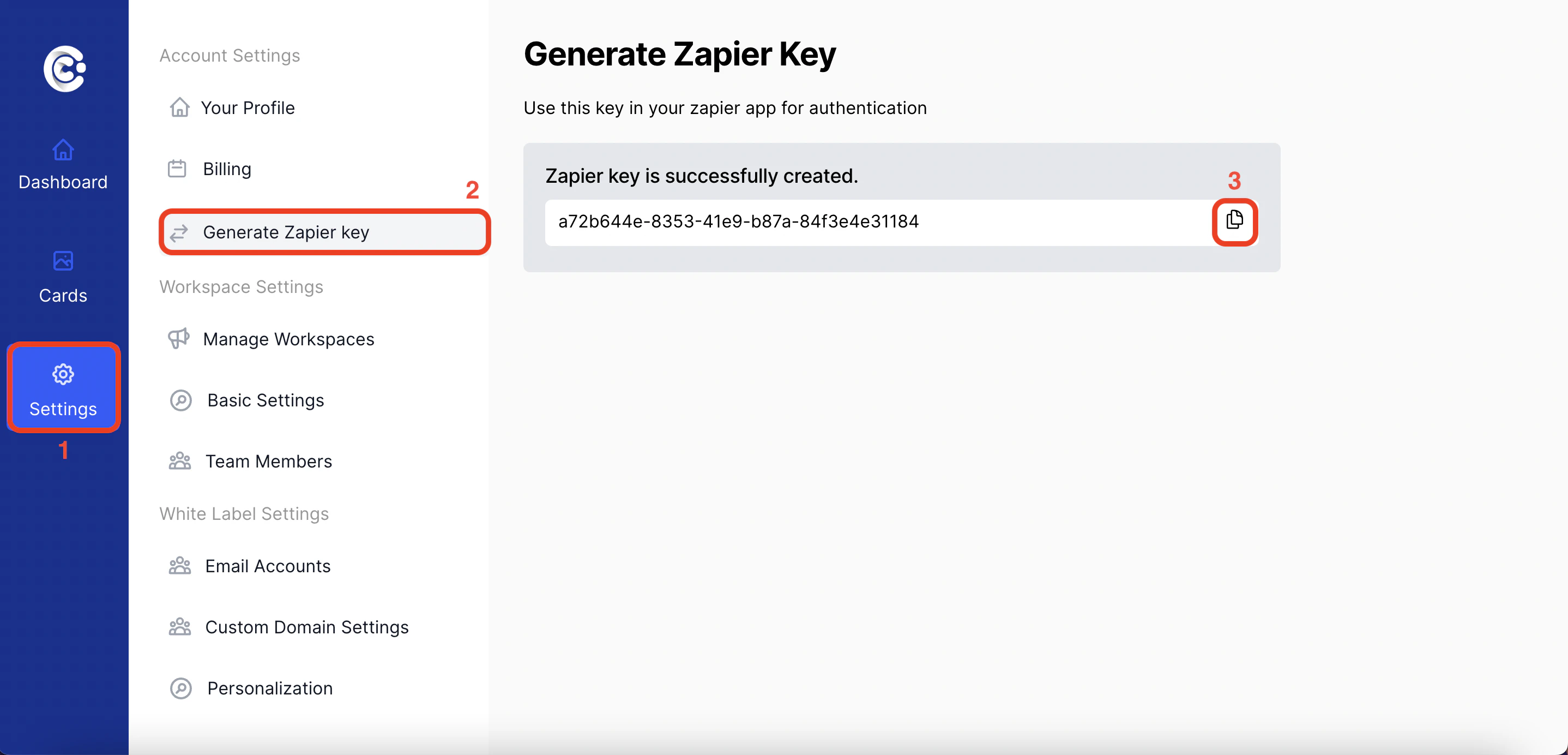 Just click on the button to copy it.
Keep your Zapier key secure and do not share it publicly. This key provides access to your CardClan account through Zapier.
