Step 1: Access Email Accounts Settings
In your account settings, navigate to the Email Accounts tab. Click the “Add Email account” button.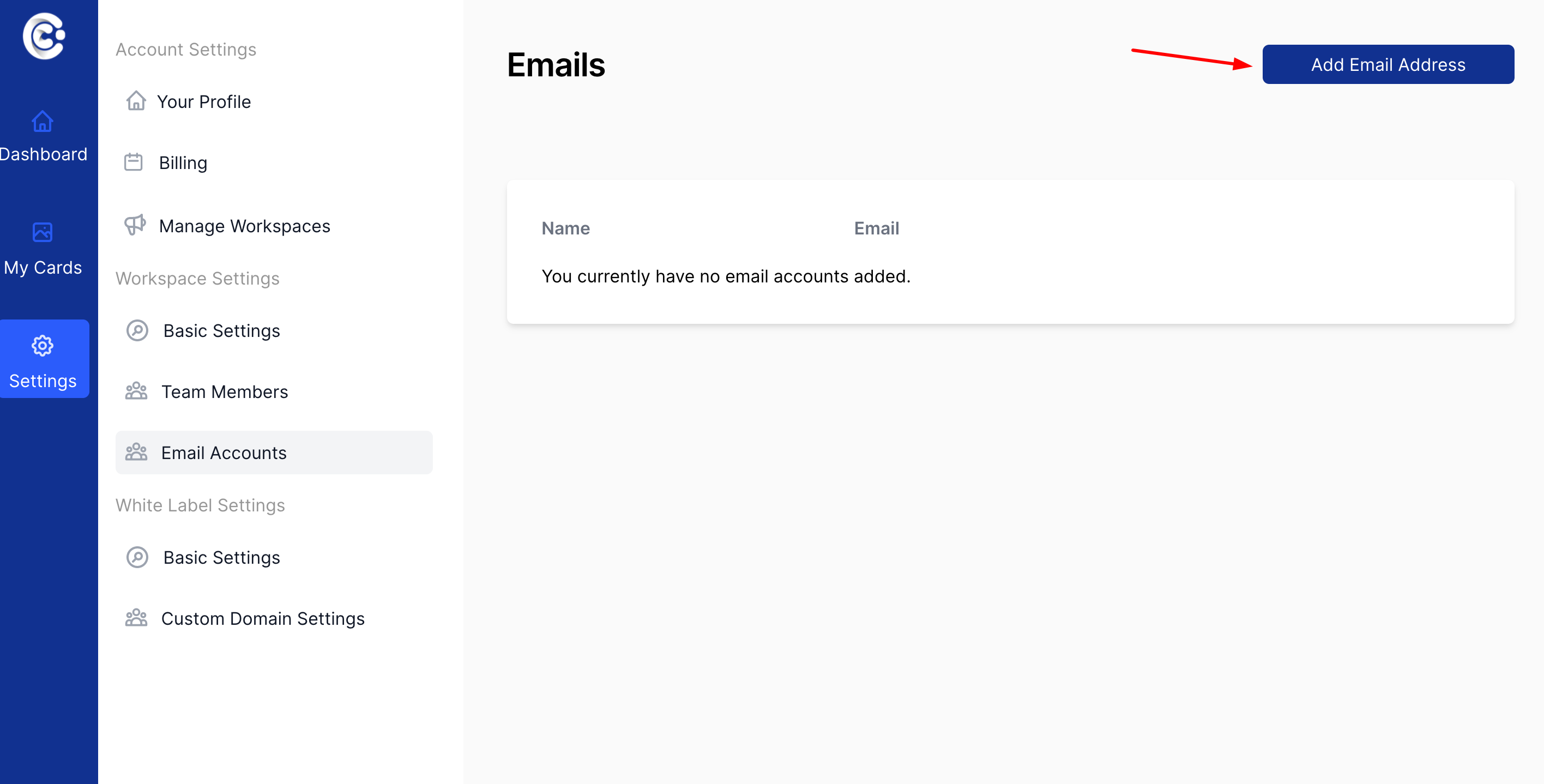
Step 2: Fill in Basic Details
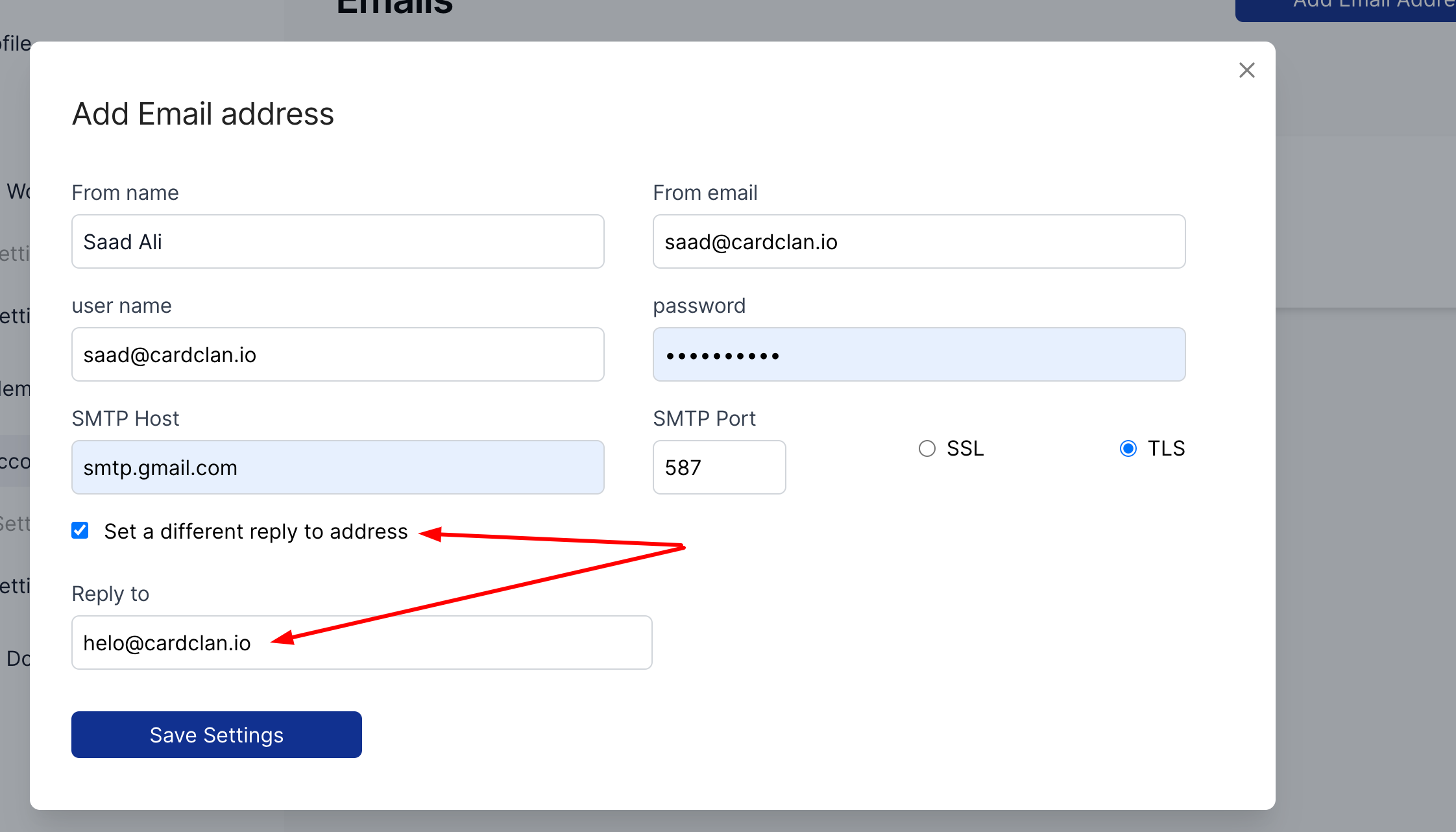
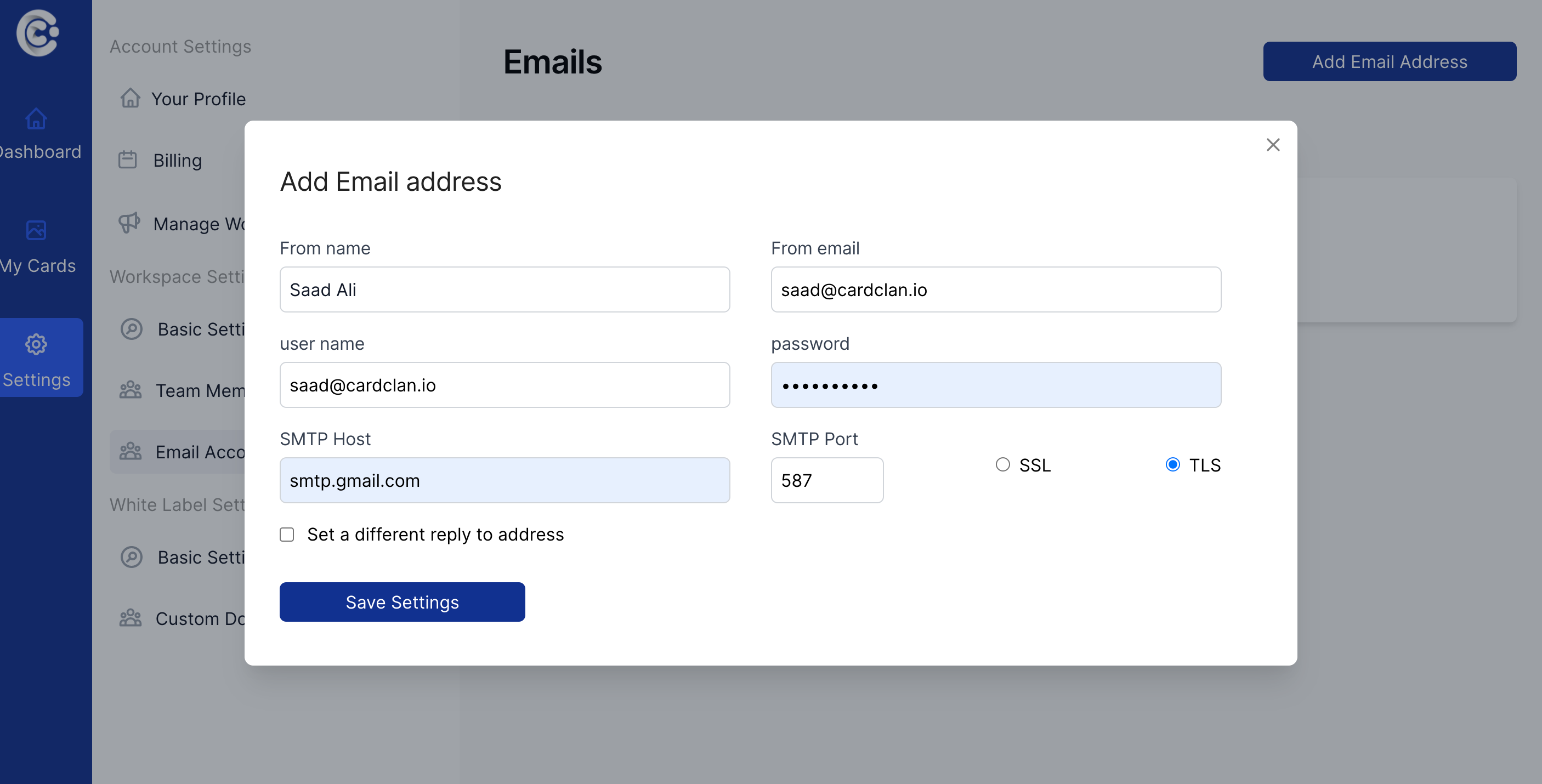
Fill in the following details in the form:- From name – a name the recipient will see on incoming messages from you
- From email – the email address from which the emails will be sent
- Username – your username on the email server (usually, this is your email address)
- Password – your password from the email account that you indicated in the Username field
Step 3: Configure SMTP Settings
Fill in the rest of the settings:- SMTP Host – the name of the email server (usually has this format: smtp.domainname.com)
- SMTP Port – the port number for email sending (usually 587)