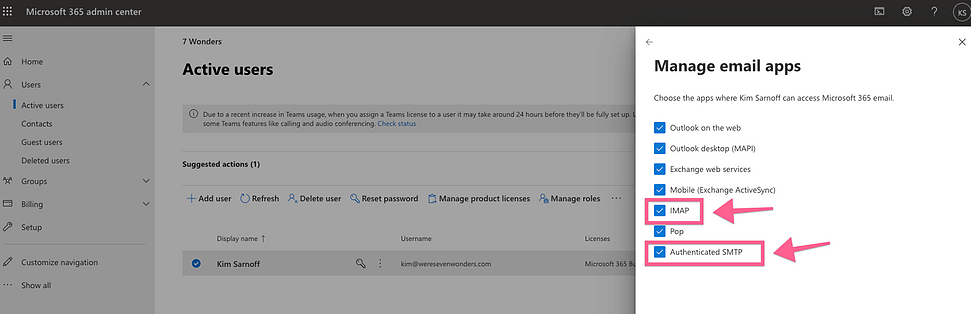
Configuration Details
SMTP Settings:- Host: smtp.office365.com
- Port: 587
- Username: your email
- Password: your password
Step 1: Access Admin Center
Make sure you are logged into the admin office 365 account:- Click on settings
- Then click Admin Center
- Then click show all within the admin center
- Then click Azure Active Directory
- Then scroll down find the properties tab
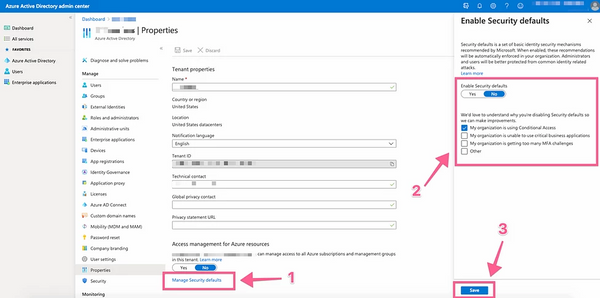
Step 2: Adjust Admin Properties
Within the admin properties section, you will need to Enable Security defaults to No. To do this click “Manage Security Defaults” then click No within the right-hand slider window.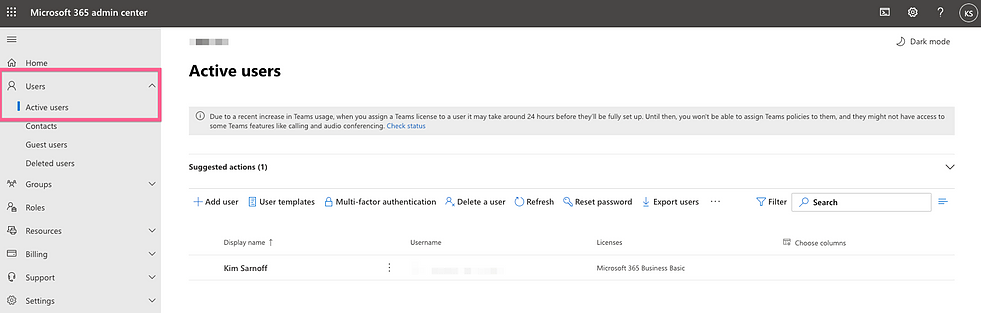
Step 3: Allow The Inbox To Use SMTP & IMAP
A. Access Active Users
First go back to the Admin Center and select Users > Active Users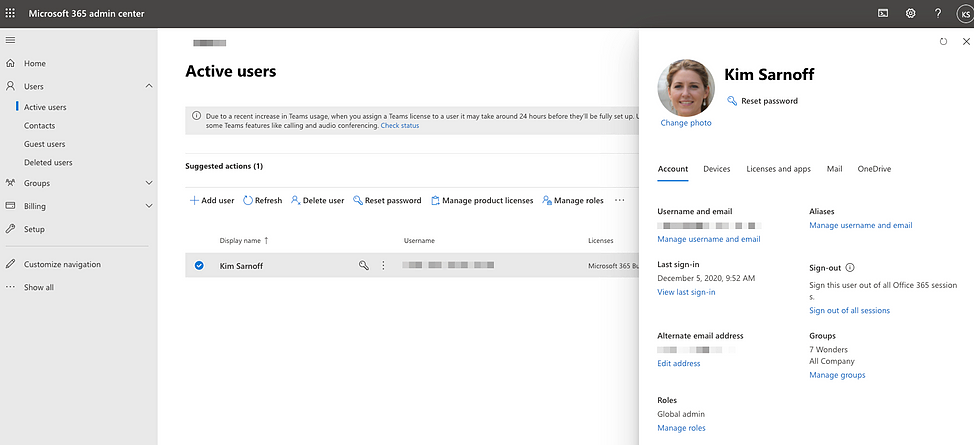
B. Select User Account
Select the inbox that you want to add to CardClan. By doing this a slider will come out.C. Configure Email Apps
Select the Mail tab within the slide and click Manage email apps